
More help:
NWEA Support
Have an idea?
Share it!
Testing Progress Report
| Description | Shows the percentage of tests completed for a school |
| Intended audience | Testing Coordinators |
| Required role | Instructor, School Administrator, or District Administrator |
Navigation
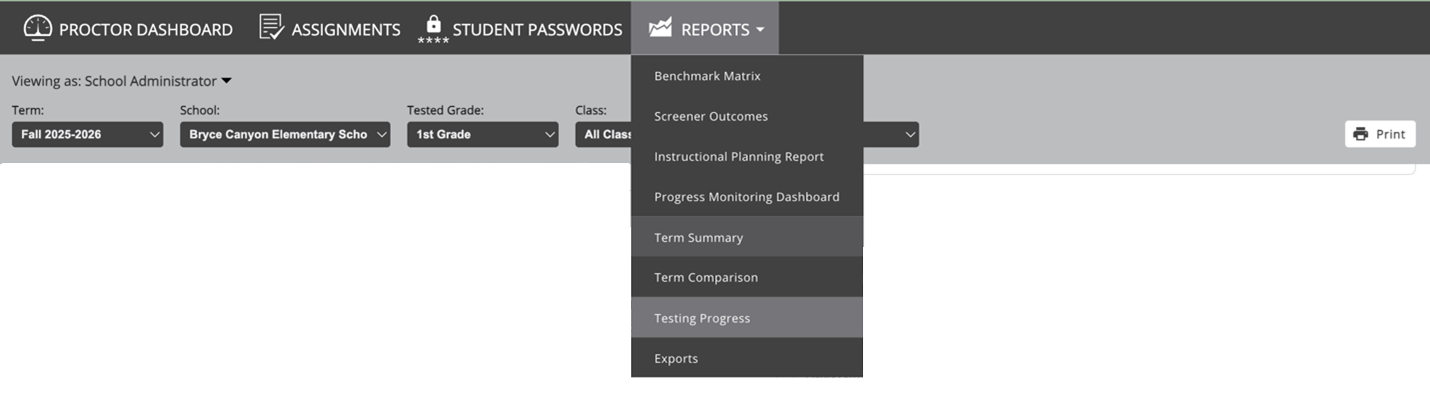
Access the Testing Progress report from the Reports tab within MAP Reading Fluency. From any view, select Reports and then choose Testing Progress.
Administrator View (School and District)
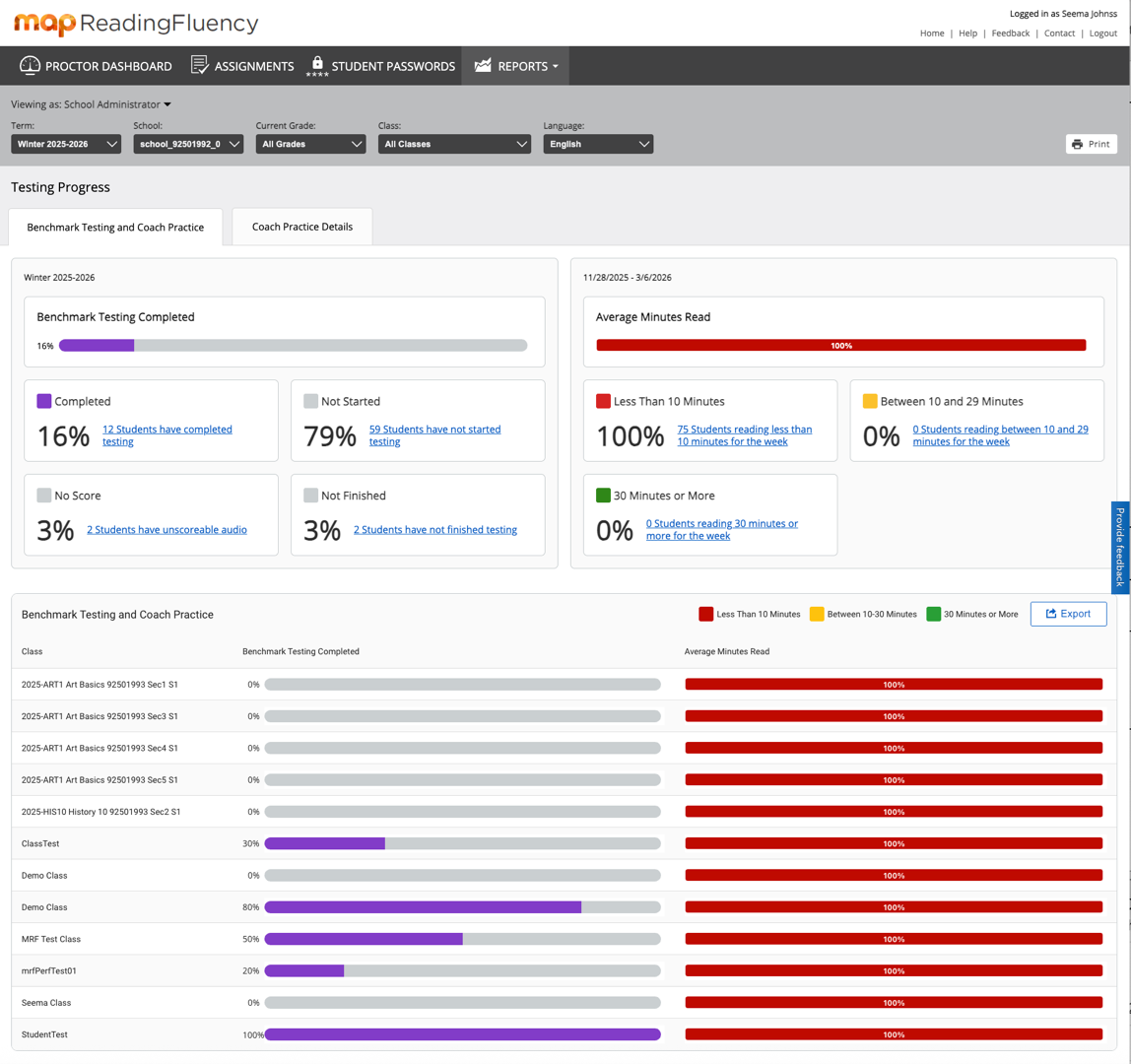
This view provides an at-a-glance summary of benchmark testing progress and Coach usage for students who meet the selected school, grade, and class filters.
Benchmark Testing and Coach Practice Tab
On the left, the report displays benchmark testing progress for the selected term and language, and for all students meeting the current School/Grade/Class filters.
On the right, student Coach usage is grouped into the following categories:
- Green: Weekly or average weekly Coach usage of 30 minutes or more
- Yellow: Weekly or average weekly Coach usage between 10 and 29 minutes
- Red: Weekly or average weekly Coach usage of fewer than 10 minutes
Coach Practice Details Tab
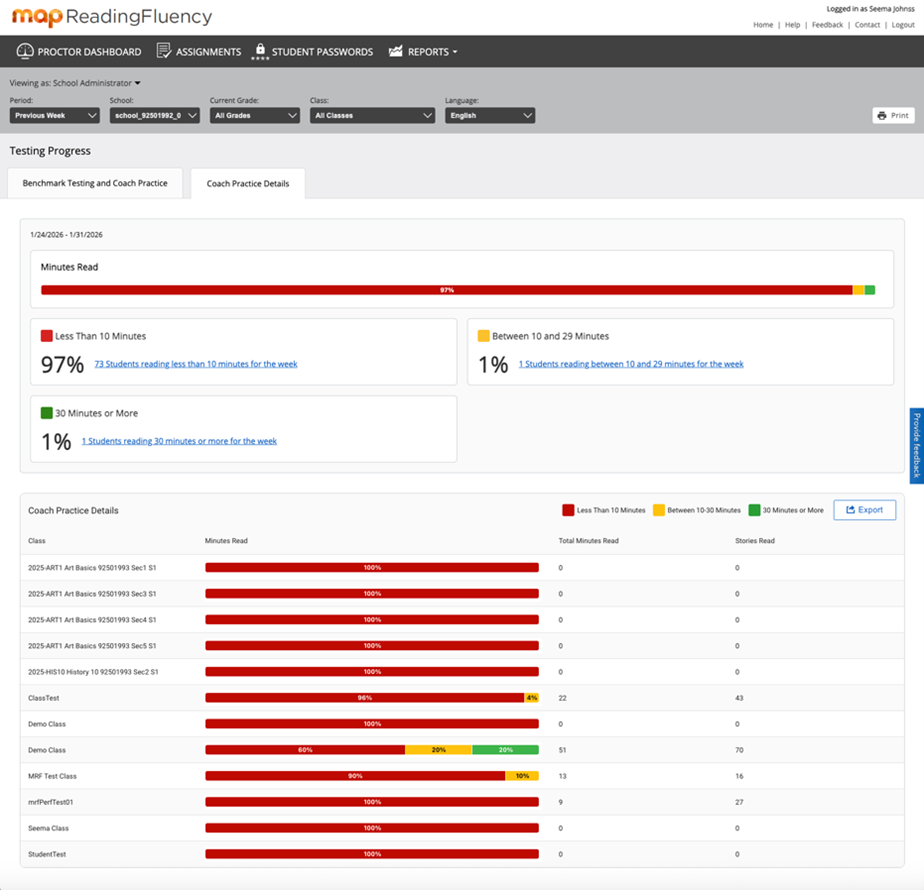
Selecting the second tab displays Coach Practice Details.
This view shows the same usage distribution on the left. On the right, it displays the total minutes read and total stories read for the selected period.
Interactive Data Views
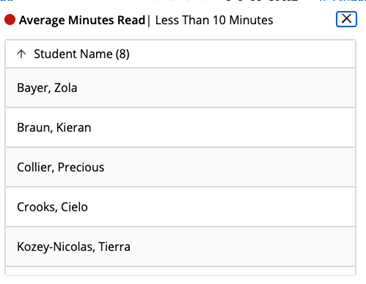
In both tabs, data is grouped by class. Selecting any bar in a chart opens a detailed list of students included in that grouping.
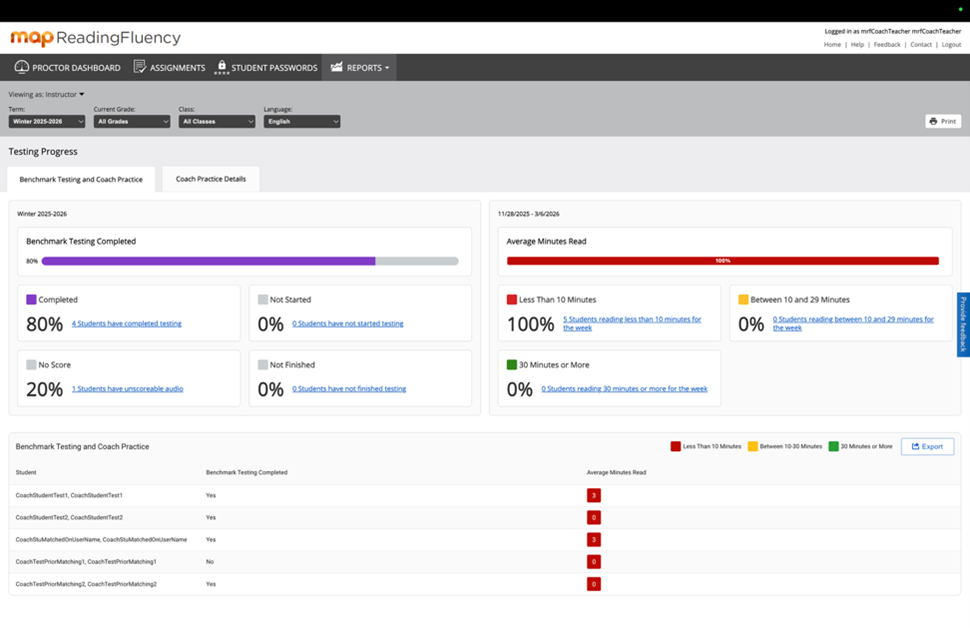
Instructor View
The Instructor View presents similar data, tailored for classroom-level insight.
On the left, benchmark test completion is shown for the selected term and language, and for all students meeting the current School/Grade/Class filters.
On the right, each student’s average minutes read for the term are displayed and color-coded.
- Green: Weekly or average weekly Coach usage of 30 minutes or more
- Yellow: Weekly or average weekly Coach usage between 10 and 29 minutes
- Red: Weekly or average weekly Coach usage of fewer than 10 minutes
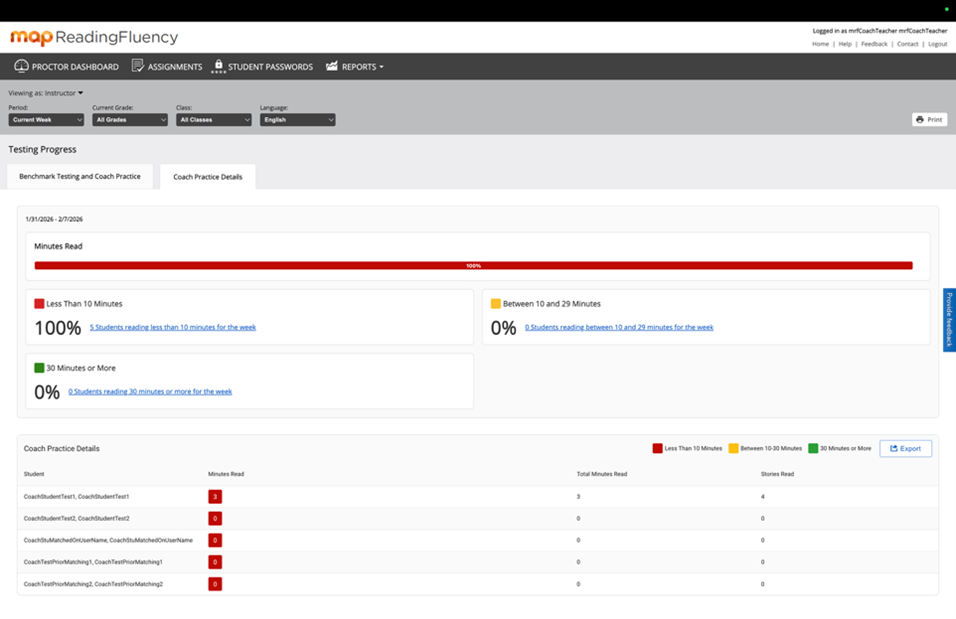
Instructor Coach Practice Details
The second tab in Instructor View adds a detailed breakdown of minutes read and stories read for each student.
Frequently Asked Questions
What is this report used for?
This report shows current term testing status for MAP Reading Fluency and weekly usage of Coach, providing an at-a-glance summary of student participation to teachers and administrators.
What is included in these results?
All students who fit the filter criteria based on their roster attributes are counted. Student inclusion filters are school, grade, and class, with an All option available where relevant.
A single term must be selected for testing progress. Current or prior week can be selected for Coach data, or the current term.
When current term is selected and Coach details are viewed, the values are an average across the term. Due to rounding, this could result in, for example, less than 10 average minutes for a class for the term – even zero minutes – when the current or prior week shows lots of usage.
How is testing status defined?
- Completed
- Not Started
- Not Finished
- No Score
Only benchmark test events are counted. Progress monitoring tests are not included.
How is Student Coach utilization categorized?
- Fewer than 10 minutes per week
- 10–29 minutes per week
- 30 minutes or more per week
When viewing the full term, the report displays average minutes per week.
Where can I find additional Coach data?
More detailed student Coach usage and results data is available from the Coach tile on the MAP Start Page under MAP Reading Fluency.